-
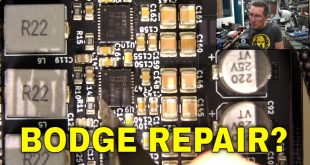
EEVblog #155 – ITead Studio PCB Prototype Goof
Posted on March 11th, 2011 82 commentsDave shares an experience with his new prototype PCB’s from ITead Studio.
Super awesomely cheap, but beware!
http://iteadstudio.com/store/index.php?main_page=index&cPath=1974 responses to “EEVblog #155 – ITead Studio PCB Prototype Goof”

-
Ha! Well, you get what you pay for. Or…now you know you should design for something like 8/8′s?
I really enjoyed this video – there’s something really fun about PBC layout. I hope you do more videos like this – this was a great real world lesson.
Question: When you designed the board, did you know that the ground was snaking it’s way around and through the pins? Or did you just add a copper pour, and your software said “ok, that trace is done” and you went on your merry way?
-
@George Graves
>Ha! Well, you get what you pay for.
He paid what he was asked to pay otherwise he would not have the board in his hand.
Do you think that he paid a few less pennies so thre removed his copper?
Those cheapsters also messed up my board.
I encourage to ask for refund if such things happen.
-
Good review, I changed their design rule and made it 10/10. I do not trust any board manufacturer with lower than this until proven. I have done better boards (TSSOP package with clear pins) at home using FPC board from UK.
-
-
George Graves March 11th, 2011 at 15:42
Ahhh yes – I wasn’t saying it was you – it’s very clear in the video they expanded/shrunk that area.
-
Dave,
Thanks for the video, thanks for blogging about the service. I didn’t see your note on twitter
Even with the problems, ITead Studio looks like a very reasonable alternative to making PCBs at home.
I have just one question: did you order the boards with e-test? If they were tested, guys ITead should eat the fu**d-up boards and send you new ones. However if they weren’t… Well…
I think that the price even with the extra US$10 for testing is still very attractive.
One more thing: how long did you wait for the boards? -
Martin March 11th, 2011 at 17:49
Something is telling me we can expect an arduino-shield in the near future from Dave :3
Hope that ITead Studio fix this issue, because the price is insane IMO. -
Hmm, I was all ready to tell you that you goofed up and used one of the untested boards and that the untested board had an etching mistake (as in too much copper), because I have had that problem before.
I’ve always done all the routing with wires and adding the fills as an extra on top of that, so my boards would work without any filling at all, so I guess that’s why I’ve never seen this problem.
I guess the rule with ITead is to route all the signals you need explicitly and not rely on filled zones for actual connectivity.
-
Interesting video, Dave. I really like videos about “real-world” stuff, like trouble shooting.
I guess you can send iTead this video and see what they have to say. I’d really like to know why they didn’t follow their own design rule specs.
-
Thanks for the “review” of Itead. I have been waiting to hear how your boards came out as I am considering using them myself. You have tested them at their design limits and they failed. But I don’t need 6/6 design rules so I will still give them a try.
I remember reading this somewhere, “Just because a manufacturer can achieve a certain track/spacing, it is no reason to “push the limits” with your design.” Now where did I see it, Oh I remember, it was in PCB Design Tutorial by D. L. Jones.
To be fair though you did say your design required 6/6 rules. Keep up the good work, I enjoy the blogs and Amp Hour.
Greg
-
It’s funny how much of a shock people get when I tell them about ITead.
Just recently I spoke at Open Source Days in Copenhagen and I’ve had several mails from listeners who wanted to know about ITead, not the actual project I was talking about:)
-
Maybe they screwed it up for some free advertising. The price is certainly approaching the level where I’m getting interested. (= everyone and their dog)
-
How are ground pours specified in the gerber? I’m curious because I understand the gerber is just a file of shapes that make vector paths, but it seems like that wouldn’t be the ideal way to represent a ground pour.
Further, your 6 mil trace goes through just fine at full width, so they didn’t mess with the rest of the gerber, just the ground pour.
What are the parameters for the ground pour, and what parameter did they adjust when they created the masks?
I’m very interested to hear what response you get from them.
Sounds like you could fix it by hand simply by adding “real” traces between the pins to ensure ground plane continuity.
-
I’m not sure how they’re done in Altium, but I can say how they’re done in Eagle.
Ground pours are specified as Width, Spacing, and Isolation. It doesn’t seem to make sense to think of a width of a ground pour (or, really any pour), however that variable sets the aperture used in the gerber. (A short aside about gerbers: they are defined using apertures and lines. To make a trace, you set the aperture then define the start and end points.) This means that the spacing defines the minimum line that can be made with the pour, and the lower bound on the smallest feature of the polygon shape.
The spacing variable doesn’t really do much, and the isolation variable defines how much space to allow between the pour and any other copper. Even if the isolation variable is set to zero, the maximum value of the isolation of the pour and the isolation of any other object on the board is used.
Once these parameters are set, the outline of your polygon is traced, just like any other trace, and the interior is filled by horizontal lines. These lines overlap, and you get your fill. It’s all very inefficient, really, but it works. You can see this in action sometimes if Eagle doesn’t think you’re looking.
-
-
Thanks for the review Dave.
I’ve used iTead a few times (as well as their neighbors seeedstudio) and didn’t have any problems.
Please do follow up with them and let us know what they say.
At that price, it is cheaper to use them than to make boards at home or order a single board from batchpcb
Georgi
-
What’s the lead time like? It says something when a service is so cheap you get excited even after hearing of issues they have.
-
It’s a 6 day turn and they seem to keep to that schedule. Shipping is the slow part…usually a week or 2 to the US but my order from early November didn’t arrive until late January because of a massive problem with China Post that affected thousands of shipments over the holidays.
-
-
From the information rendered on the Amp Hour radio show about ITead it sounds like they keep their proto board costs super low by just adding proto board orders to their larger panel runs. The smaller proto board designs must fit into extra spaces along the edges of other production run designs on the panels. If this is true then boards my not be so cheap in larger orders where you need 100+ in a run.
Also if this is true then what could be happening is the small proto designs like Dave’s are added to the free space on larger orders and then maybe the panel as a whole is altered for that main production run and effecting the ground poor for the piggyback proto boards. Or maybe a scaling issue to the main production run design during the processing is causing this issue with the piggyback proto boards. Just guessing.
-
Well, most probably they scaled the drill to the next bigger one available and then had to scale the pads up because of the minimum annular ring requirements.
But no boardhouse should do anything like this without consulting its client.
-
Paul Chisholm March 13th, 2011 at 02:57
I have also managed to isolate grounds the same way though the circuit sort of worked by the being powered via logic gate input protection diodes.
It might be worth using another gerber viewer like gc-prevue just to be sure that your file is OK. I don’t know enough about the volume PCB production process but I guess that it isn’t a photo resist / etching issue.
-
Hello Dave,
what kind of unit is that “thau” you mention in the blog ? I’ve never heard about it. I”m only fammiliar with “milimeters” and “mils”. -
This is probably a stupid question, but how can you tell from the pcb if they have messed with your Gerber or instead just left them in the etch a bit too long. It seems to me the result of a human error with the stopwatch would cause the same problem. I can imagine the underpaid employee not being alert after 21 hours at the etchbath rather than someone (presumably skilled) taking it on themselves to play with a Gerber file.
But, hey, I don’t know anything about this stuff, so I’m just curious.
-
Martin March 13th, 2011 at 18:49
If they etched the pcb too long, all the other measurements (traces!) would be messed up, too.
-
-
Bambur March 13th, 2011 at 20:05
Awesome video! Thanks a lot! Let us know, Dave, what ITead Studio responds if they do.
-
WestfW March 13th, 2011 at 20:47
Very interesting! Have you looked at the gerbers with a gerber viewer other than the one that comes with Altium? I’m trying to imagine what they might have changed in the gerbers to produce this result. After all, the “clearance” that got larger is not something that is IN the gerber; only the copper is in the gerber, and it is puzzling that that some copper parameter could be changed that would result in the increased spacing that we can all see.
In EAGLE, which is all I’m really familiar with, a pour is drawn as a sort of raster using an aperture of size equal to the width of the wire used to draw the pour polygon. If Altium is similar, then the likely edit would have been to change the size of that aperture (especially if it had defaulted to less than 6 thou?) This might change whether the pour succeeds in going between pads, even if it would theoretically fit. Except I’d think that would be problematic WRT the edges, and would end up being a rather complex edit to make… (Hmm. If you have a 6thou raster going between pads that only have room for a 6thou trace, and the raster runs horizontally, then you’ll have a zero-length line segment and/or “endpoint issues” that might be a logical place for SW bugs to exist…)
I’ve always been vaguely uncomfortable with allowing pours to make connections; I like to draw my boards so that even if the pours go away, the board would work. In a way, it’s nice to have that paranoia vindicated!
-
After hearing you talk about the service on the Amp Hour I took a look and bookmarked the service. I also use PCB Cart for production boards and have had great luck with them. I usually get 10 or so boards made to make sure the design is good, then order a full batch once I have confirmed that there is no issues. Only problem is if there is a few small changes to make they will charge you the tooling fee again which sucks.
I am thinking I will still give this service a try for the next prototype and cross my fingers that the same issue doesn’t happen to me.
Have you complained about the issue and heard back from them?
-
Steve C March 29th, 2011 at 04:59
PCBCart only charge a re-tool fee if they need to touch the drill file.
If you can make your changes entirely in copper layers, then they only charge $10 to change your design.
This is really great and I have done this quite a few times.
-
-
Sorry for the late response, we didn’t get any feedback about this case until we found a post told about this video today.
We found the reason and please check it here:
http://iteadstudio.com/iforum/viewtopic.php?f=20&t=417
: ) And and you can complaint it by order@iteadstudio.com -
So Dave, official answer was:
“this is the fault of designer, he don’t meet the minimum limitation, and we can not respond for it.”
What you said on that?
-
Typhon March 15th, 2011 at 06:18
But I saw the official respond on that post for this issue is “This design is really exceeded our level of ability, and we can not make it as original design. We should declared the minimum isolate on the product , but we didn’t. We will remake the boards with the new design which meet our producing ability.”
Joker seemed to sow dissension
-
WestfW March 15th, 2011 at 11:30
Itead’s response isn’t very consistent with the fact that the 6thou trace routed manually between those same connector pins worked fine…
-
This is not that bad compared to mine. I used some other China manufacturer and they modified my capacitive touch buttons into normal membrane button! From 4 mil tracks into 30 mil tracks.
I always tried to avoid to rely too much on pour to connect the net and use tracks whenever possible. But when there’s no space for tracks, I’ll use a bunch of vias (lots of them) to connect them together. But Iteadstudio should do something about this. -
TXDesigner March 16th, 2011 at 00:06
Manufacturers will change your Gerbers. But a critical step is netlist compare. A decent CAM tool can do this easily. If the customer does not provide a netlist, one can be extracted from the original Gerbers and compared to a netlist extracted after the changes. This would have found your problem. (It would NOT find missing redundant connections however.)
-
WestfW March 16th, 2011 at 16:56
This points out that one of the things you lose by going to a “bargain” PCB manufacturer is “dialog” about problems the manufacturer has (right or wrong) with your CAD files (gerber or otherwise.) With a more traditional PCB shop (at 5 times the price or more), Dave probably would have gotten a phone call “it looks like your board doesn’t meet our design rules; we’re going to need to change xxx”, and Dave would say “no, you’re wrong, you must be looking at the soldermask instead of the copper”, and everything would have been resolved before the boards were attempted. But at the price, you don’t get this amount of interaction.
IIRC, Sparkfun had exactly this problem when they first started their batch PCB service; they were getting sent all sorts of boards that “needed to be discussed”, but they couldn’t afford to do so at the price they were charging.
I’m somewhat impressed that ITead modified the design at all; usually at the bargain price, if you violate the design rules, you just end up with boards that don’t work. (of course, in this case, ITead was wrong and the board would have been better off with no modification, but I’ll bet they get plenty of boards where their intervention is in fact helpful…)
(Interestingly, I’ve been considering using ITead as well, and this entire incident is remarkably … neutral … in affecting my decision.)
-
I submitted a gerber file to ITead and they came back to me asking to recheck my gerbers because it looked like I was missing a component. Sure enough when I rechecked the gerber I had accidentally removed a component when doing some last minute tidying up. Completely my fault, but thanks to their checking I was able to put it right and send new files without having received boards that would have been useless. A big (y) to ITead.
Greg
-
That sucks. Looks like it might be easy enough to fix with a green wire or two, but I’d be curious to see how ITead resolves this, if they do anything at all. I’d love to find a good cheap and fast PCB service, but if they honk up my boards, it’s not worth it.
One question:
How did you “know” that it wasn’t capacitive loading on the circuit by your scope? Obviously you found the issue, but you mentioned that it wasn’t capacitive loading but only because you “knew” it.
So… How did you know that it had to be the PCB design and not a loading issue from the scope?
-
Kashif March 21st, 2011 at 09:38
Hi Dave,
@4:00 you mentioned sometime a circuit works when a scope probe is attached at a point because of capacitive loading and it is a classic problem. Can you do a future blog how to fix problems like this?
I am seeing the same phenomena in my setup where I have I2S output and measure them using Audio Precision but does not work and as soon as I put scope probe in my clock pin, circuit magically works. Obviously with capacitive loading, timing seem gets to be correctly. I suspecting long test lines. It would be nice to have a blog where a different causes of this sort of problem are given and may be possible cures are shown. This is very practical and look forward to any feedback from you.
Love your work so far! Please keep it up.
Kashif
Audio Application Engineer -
Dave, I’m sorry for criticizing, but this is a good example of bad PCB design…
You shouldn’t hang all supply on such small area of copper. And a few more “not ideal” things can be seen only in the still picture, without even playing the video. -
Seems to me that Dave relied on a copper pour to join the “common” net. This would be Dave’s fault in either not going through his design properly or by not having put in a trace prior to the copper pour. Putting in all traces insures that errors like these will not happen. DRC rules can check for most design erros, although a specification in the copper pour would be needed to ensure that all “joining pours” have to meet certain requirements. This is a nice debugging and bad practices video, although the complaint part could have been dropped. Sorry Dave, from my point of view, you screwed up.
-
Dave,
What drill size did you specify and what did they drill it at (did you specify smaller than their minimum)?
By inspection the hole they drilled looks roughly the same size as your pads in the gerbers.
If they rounded the drill up to the next size they might have increased the pad size to maintain the minimum annular ring. They would then have to cut back the pour to maintain the clearance which lead to the break in your GND net.
Perhaps.
Nial.
-
Morris May 20th, 2011 at 05:39
Looks like Itead have changed their DRC spec. Now reads “6mil, >8mil recommended”.
Thanks Dave. This has been very informative.
-
Nice informative stuff as always!Thanks for taking time to share your great experience and knowledge through in this video posting..Great job done keep it up..
-
They provife 100% e test now you know!
But I wonder if they compare the PCB with your original design or something else.
8 Trackbacks / Pingbacks
-
[...] and they mucked up his board by reducing copper pour around holes. He talks about the problem in episode #155 (skip to 9:20 mark – the front part is [...]
-
[...] post a video on the EEVBolg to told about a mistake of our prototyping PCB service : “EEVblog #155 – ITead Studio PCB Prototype Goof”. We didn’t get any feedback or complaint about this order, so we didn’t give any [...]
-
[...] Dave at EEVblog had a problem with their tolerances also which we knew about. [...]
-
[...] advises to not go as low as 6/6mil, but try to use 8/8mil rules. Some people (like Dave Jones from EEVblog.com) had a bad experience with the fab changing his gerbers, but it was before they updated their fab [...]
-
[...] y por los comentarios que hay en la red, parece que tienen sus detalles a la hora de fabricar, como lo que le paso a Dave L. Jones de EEVblog. Será cuestión de esperar para ver que resultados entregan con mis [...]
-
[...] y por los comentarios que hay en la red, parece que tienen sus detalles a la hora de fabricar, como lo que le paso a Dave L. Jones de EEVblog. Será cuestión de esperar para ver que resultados entregan con mis [...]
-
[...] y por los comentarios que hay en la red, parece que tienen sus detalles a la hora de fabricar, como lo que le paso a Dave L. Jones de EEVblog. Será cuestión de esperar para ver que resultados entregan con mis circuitos, ya [...]
-
[...] decided to learn more about designing circuit boards with Eagle after reading an article about cheap chinese PCB manufacturer. Although there were some problems with their test boards the service is so cheap (about $1 for [...]
Leave a reply
-


George Graves March 11th, 2011 at 14:11